IN
INundefined
Laser Printers
17 products available
𝗪𝗵𝗮𝘁 𝗮𝗿𝗲 𝗟𝗮𝘀𝗲𝗿 𝗣𝗿𝗶𝗻𝘁𝗲𝗿𝘀?
Laser printers are advanced printing devices that utilize laser technology to produce high-quality documents. They work by using a focused beam of light to transfer an image onto a drum, which then applies toner to the paper. This method allows for faster printing speeds and greater precision compared to traditional inkjet printers. Laser printers are known for their efficiency, durability, and ability to handle high-volume printing tasks.
These printers are primarily used in business environments where large quantities of documents need to be printed quickly and cost-effectively. Common applications include printing reports, invoices, presentations, and marketing materials. Their ability to produce sharp text and graphics makes them suitable for professional settings. As more businesses transition to digital documentation, laser printers remain relevant by offering reliable performance for both small offices and large enterprises.
In the market context, laser printers are essential tools in various industries. They are widely adopted in sectors such as education, healthcare, and finance, where high-quality printing is critical. The growth of remote work and online services has further increased the demand for efficient printing solutions, solidifying laser printers' position as a staple in commercial printing.
𝗞𝗲𝘆 𝗙𝗲𝗮𝘁𝘂𝗿𝗲𝘀 𝗮𝗻𝗱 𝗦𝗽𝗲𝗰𝗶𝗳𝗶𝗰𝗮𝘁𝗶𝗼𝗻𝘀
Laser printers come equipped with a variety of features designed to enhance performance and usability. Understanding these specifications is crucial for businesses looking to invest in the right printing technology.
Key specifications include:
1. Print Speed
- Measures the number of pages printed per minute (PPM).
- Typically ranges from 20 to 60 PPM for business models.
2. Print Resolution
- Refers to the quality of the printed output, measured in dots per inch (DPI).
- Common resolutions range from 600 DPI to 2400 DPI.
3. Monthly Duty Cycle
- Indicates the maximum number of pages a printer can handle in a month.
- Often varies from 20,000 to over 150,000 pages depending on the model.
4. Paper Handling
- Describes the types and sizes of paper the printer can accommodate.
- Supports various media types including letter, legal, and envelopes.
5. Connectivity Options
- Refers to how the printer connects to devices, such as USB, Ethernet, or wireless.
- Many models now include mobile printing capabilities.
6. Toner Capacity
- Indicates the yield of toner cartridges, affecting print costs.
- High-capacity cartridges can print thousands of pages before replacement.
7. Energy Efficiency
- Measures the printer's power consumption.
- Many models are ENERGY STAR certified for reduced environmental impact.
8. Security Features
- Includes options like secure printing and data encryption.
- Essential for protecting sensitive information in business settings.
In summary, selecting a laser printer involves understanding these key features and specifications to ensure it meets the operational needs of a business.
𝗖𝗼𝗺𝗺𝗼𝗻 𝗔𝗽𝗽𝗹𝗶𝗰𝗮𝘁𝗶𝗼𝗻𝘀 𝗮𝗻𝗱 𝗨𝘀𝗲 𝗖𝗮𝘀𝗲𝘀
Laser printers find applications across various industries, serving diverse printing needs.
1. Education: In schools and universities, laser printers are used for printing lesson plans, exams, and student materials efficiently and in high volumes.
2. Healthcare: Hospitals and clinics use laser printers to produce patient records, lab results, and medical documentation, which require precise and secure printing.
3. Finance: In the finance sector, laser printers are vital for printing invoices, financial reports, and compliance documents that demand high quality and accuracy.
4. Legal: Law firms rely on laser printers for printing contracts, legal briefs, and case files, where clarity and professionalism are essential.
5. Marketing: Advertising agencies utilize laser printers for high-quality marketing materials, such as brochures, flyers, and presentation documents.
6. Manufacturing: In manufacturing settings, laser printers are used for printing labels, product manuals, and compliance documentation.
7. Government: Government offices depend on laser printers for printing official documents, reports, and public notices that require a professional appearance.
𝗣𝗿𝗼𝗱𝘂𝗰𝘁 𝗩𝗮𝗿𝗶𝗮𝗻𝘁𝘀 𝗮𝗻𝗱 𝗦𝘂𝗯𝗰𝗮𝘁𝗲𝗴𝗼𝗿𝗶𝗲𝘀
Laser printers come in various models, each designed to meet specific business needs.
Small Office/Home Office Printers: These compact laser printers are ideal for low to moderate printing volumes. They offer essential features in a space-saving design, making them suitable for small businesses or home offices.
Workgroup Printers: Designed for larger teams, these printers provide high-speed printing and robust paper handling capabilities. Workgroup printers can handle the demands of multiple users simultaneously, making them suitable for busy office environments.
Multifunction Printers: These versatile devices combine printing, scanning, copying, and faxing capabilities in one unit. Multifunction laser printers are ideal for businesses looking to consolidate their office equipment.
𝗕𝗲𝗻𝗲𝗳𝗶𝘁𝘀 𝗮𝗻𝗱 𝗔𝗱𝘃𝗮𝗻𝘁𝗮𝗴𝗲𝘀
Laser printers offer numerous advantages that make them a preferred choice for businesses.
1. Cost Efficiency: Laser printers have a lower cost per page compared to inkjet printers, making them more economical for high-volume printing.
2. Speed: With fast printing speeds, laser printers can handle large print jobs quickly, improving workplace productivity.
3. Print Quality: They produce sharp, high-resolution text and images, ensuring professional-looking documents.
4. Durability: Laser printers are designed for long-term use and can withstand heavy workloads, making them reliable for business environments.
5. Low Maintenance: With fewer moving parts and less frequent toner replacement, laser printers require less maintenance than other types of printers.
6. Energy Efficiency: Many models are designed to consume less power, reducing overall operating costs and environmental impact.
𝗕𝘂𝘆𝗶𝗻𝗴 𝗚𝘂𝗶𝗱𝗲 𝗳𝗼𝗿 𝗕𝟮𝗕 𝗕𝘂𝘆𝗲𝗿𝘀
When sourcing laser printers, it’s essential to consider several factors to ensure the right fit for your business needs.
1. Quality Assessment: Evaluate print quality through samples before purchasing. Look for features such as high DPI and consistent output.
2. Supplier Verification: Vet potential suppliers by checking their reputations, customer reviews, and certifications to ensure reliability.
3. Pricing and MOQ: Compare prices across suppliers and inquire about minimum order quantities to find the best deal without overcommitting.
4. Delivery and Lead Times: Understand the supplier’s logistics capabilities and estimated delivery times to avoid delays in your operations.
5. Compliance Requirements: Ensure that the printers meet industry standards and regulations relevant to your business, such as safety and environmental guidelines.
𝗖𝗼𝗺𝗽𝗹𝗶𝗮𝗻𝗰𝗲 𝗮𝗻𝗱 𝗖𝗲𝗿𝘁𝗶𝗳𝗶𝗰𝗮𝘁𝗶𝗼𝗻𝘀
Laser printers must adhere to various compliance standards and certifications to ensure quality and safety.
ISO 9001 is a widely recognized quality management standard that many manufacturers strive to meet. This certification indicates that a company has established a quality management system to consistently provide products that meet customer and regulatory requirements.
Additionally, CE marking demonstrates that laser printers comply with European health, safety, and environmental protection standards. This certification is particularly important for businesses operating within the European market.
Safety and testing requirements for laser printers encompass electrical safety, electromagnetic compatibility, and environmental impact assessments. Regional compliance considerations may vary, with different markets requiring adherence to specific local regulations.
𝗪𝗵𝘆 𝗦𝗼𝘂𝗿𝗰𝗲 𝗟𝗮𝘀𝗲𝗿 𝗣𝗿𝗶𝗻𝘁𝗲𝗿𝘀 𝗳𝗿𝗼𝗺 𝗣𝗲𝗽𝗮𝗴𝗼𝗿𝗮?
Pepagora provides a trusted platform for sourcing laser printers, offering several key advantages to B2B buyers.
Verified Supplier Network: Pepagora connects buyers with a network of verified suppliers, ensuring that businesses can find reputable manufacturers and distributors for their printing needs.
Streamlined RFQ Process: The platform simplifies the quotation process, allowing buyers to request prices and information from multiple suppliers easily. This efficiency helps businesses make informed purchasing decisions.
Trade Assurance and Support: Pepagora offers trade assurance, protecting buyers’ investments and ensuring that they receive the products as promised. Support services are also available to assist buyers throughout the sourcing process.
Regional Coverage: With a strong presence in India, the GCC, and Southeast Asia, Pepagora facilitates connections with suppliers across these regions, making it easier for businesses to source laser printers that meet their specific requirements.
Newly Added






Recently Added
Wam Tech Systems India Pvt Ltd
& School Laptops Sony Vaio N Series Durable Performance
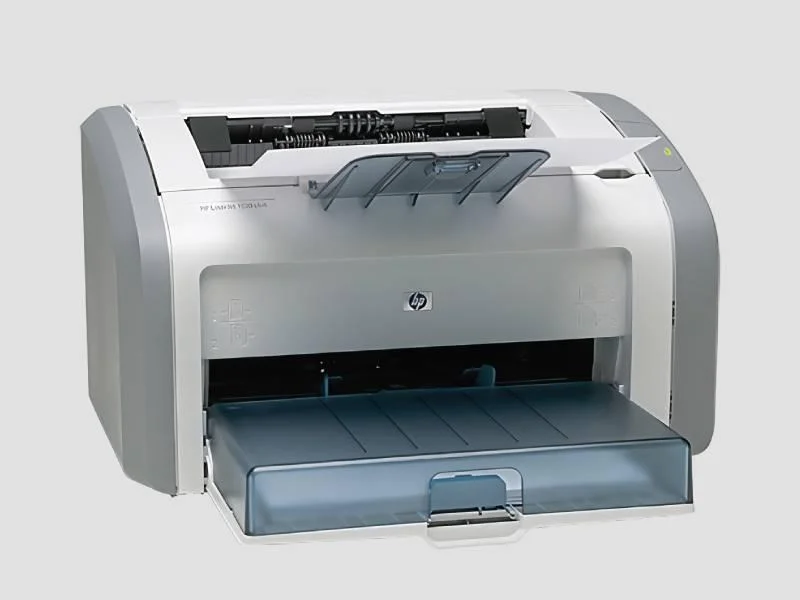
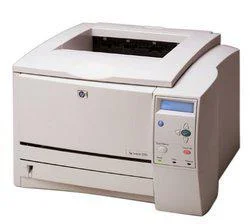
Business LaserJet Printer HP 2300 Reliable Cost Effective
Online UPS Line Interactive Inverters Reliable Power Backup
Active Solutions
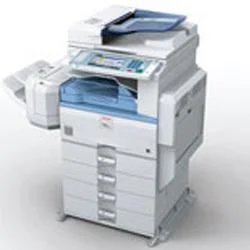
High Volume Office Multifunction Printer Copy Print Scan Secure
Office Multifunction Printer Canon ImageRUNNER 2530 30ppm Duplex
Small Office Canon ImageRunner 2420L Monochrome Copier Printer USB
B. E. Office Automation
Office Workgroup Canon Imagerunner 2525 25ppm Multifunction Printer
Office Workgroup Multifunction Printer Canon ImageRunner 2520 20ppm Duplex
High Volume Office Multifunction Printer 55ppm Canon ImageRUNNER ADVANCE 6055
D. C Copier Solutions Private Limited
High Volume Colour Photocopy Machine MPC 2030 Fast Secure Eco Friendly
High Volume Office MPC 2051 Color Photocopy Machine with Ethernet USB
Office Colour Photocopier MPC 3001 with High Speed Printing
Berlia Computer System
Professional Keyboards Durable Ergonomic Spill Resistant
Professional Headphones Superior Sound Quality Durable Performance
Business Laptops For Enterprise Performance And Security
RB Networks
Data Center Network Infrastructure Commscope 48 Port CAT6 Patch Panel
Commscope CAT6 RJ45 UTP Solid Blue 1m Patch Cord for Gigabit Ethernet
OM5 LC to LC Duplex Fiber Patch Cord 40G/100G Plenum Rated for Data Centers
Why Businesses Trust Pepagora
Thousands of companies trust Pepagora to source smarter and sell faster
Expand Your Sales Globally
25000+Products listed.Get discovered by global buyers
Tools to boost visibility
Build your own catalog

Source Smarter,Grow Faster
4000+Active RFQs
100+ Countries served
Easy Sourcing Tools